
1. What Exactly Is SVG? (The Big Picture First)
SVG stands for Scalable Vector Graphics. It’s a way to create 2D images using code (XML language, like super-simple HTML) instead of pixels.
- Key Superpower: You can zoom in forever — no blur, no pixelation! Perfect for logos, icons, maps, charts, animations on websites.
- Analogy: Think biryani photo (raster = PNG/JPG) vs. biryani recipe (vector = SVG).
- Photo: Fixed pixels → zoom = blurry mess.
- Recipe: “Take 1kg rice + spices + draw circle for plate” → scale to any size, still perfect.
Raster (PNG/JPG/GIF) vs Vector (SVG) comparison:

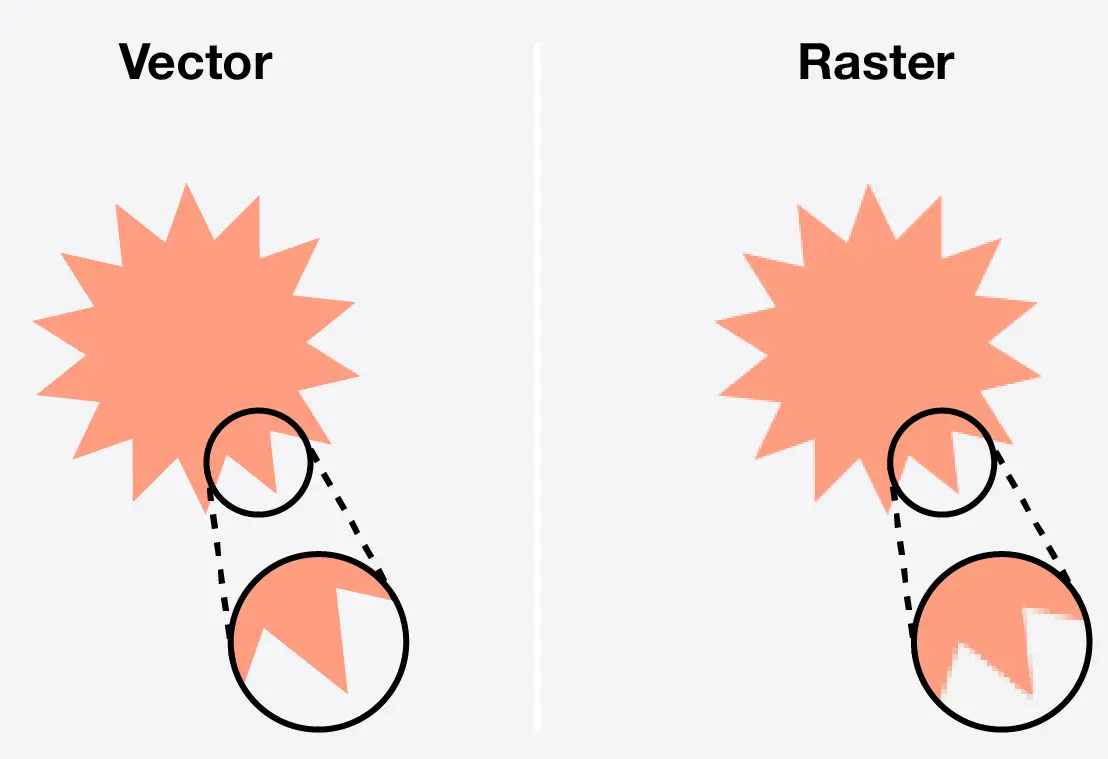
See? Zoom raster → squares. Zoom SVG → smooth forever!
SVG is:
- Text file (.svg) → open in Notepad, edit like HTML
- W3C standard (same people who made HTML/CSS)
- Works everywhere: browsers, Figma, Illustrator, React, etc.
- Lightweight + searchable (Google can read text inside SVG!)
2. Why Learn SVG in 2026? (Real-World Reasons)
- Responsive websites: Icons stay sharp on 4K phones & big monitors
- Small file size for simple shapes (better than 10 PNGs)
- Animatable with CSS/JS (spin icons, morph shapes)
- Interactive: Click parts, change color on hover
- Great for games too: UI elements, HUDs, particle effects (remember our game images talk?)
3. How to Use SVG: 4 Main Ways (Pick Your Style)
| Way | Code Example | When to Use | Pros | Cons |
|---|---|---|---|---|
| Inline SVG | <svg>…</svg> directly in HTML | Need CSS/JS control, animations | Full power, style with CSS | Code bloats HTML |
| <img> tag | <img src=”icon.svg” alt=”logo”> | Simple static icons | Easy, cacheable | No internal styling/animation |
| CSS background | background: url(‘icon.svg’) | Background patterns | Repeatable | Limited interaction |
| <object> | <object data=”icon.svg” type=”image/svg+xml”> | Fallback support needed | Works old browsers | Harder to style |
Teacher favorite: Start with inline — most fun & powerful!
4. The SVG Canvas: Tag Basics
Every SVG starts with <svg> — like <body> for graphics.
|
0 1 2 3 4 5 6 7 8 |
<svg width="200" height="200" viewBox="0 0 200 200"> <!-- shapes go here --> </svg> |
- width/height: Display size on page (pixels or %)
- viewBox=”minX minY width height”: Your “coordinate paper” (most important!). Example: viewBox=”0 0 100 100″ → think 100×100 grid, scales perfectly.
Analogy: viewBox = biryani plate size. width/height = how big you serve it on table. Same recipe, different plate = no distortion!
5. Basic Shapes: Draw Like Kindergarten!
SVG has ready-made shapes. Let’s code them!
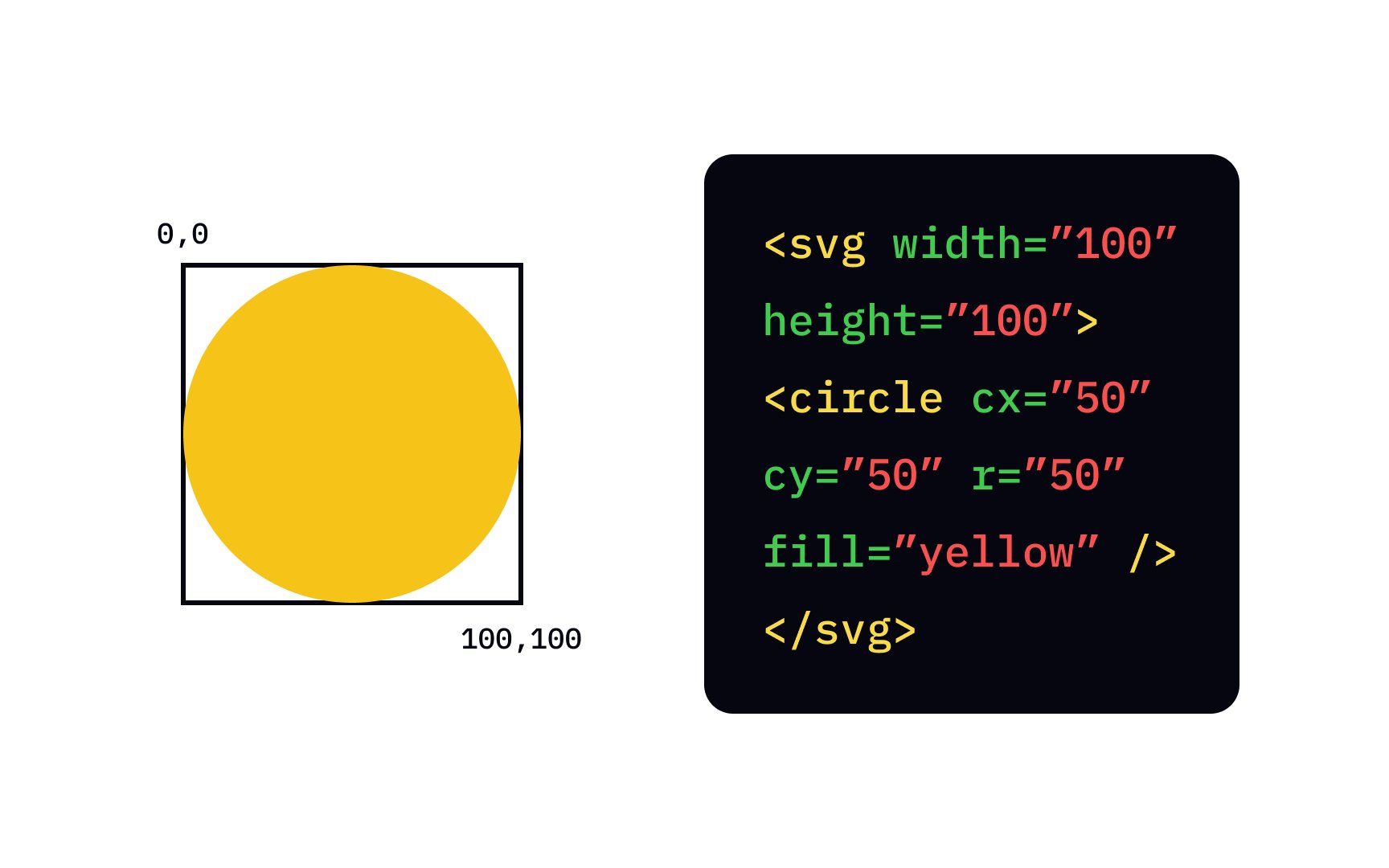
Circle (Yellow Ball)
|
0 1 2 3 4 5 6 7 8 |
<svg width="120" height="120" viewBox="0 0 120 120"> <circle cx="60" cy="60" r="50" fill="yellow" stroke="black" stroke-width="4" /> </svg> |
- cx/cy = center x/y
- r = radius
- fill = inside color
- stroke = border, stroke-width = thickness
Rectangle (Biryani Plate)
|
0 1 2 3 4 5 6 |
<rect x="20" y="30" width="160" height="100" rx="15" fill="orange" /> |
- x/y = top-left corner
- rx/ry = rounded corners (super useful!)
Line & Polyline
|
0 1 2 3 4 5 6 7 |
<line x1="10" y1="10" x2="190" y2="190" stroke="red" stroke-width="5" /> <polyline points="40,40 80,120 120,40 160,120" fill="none" stroke="purple" stroke-width="8" /> |
Polygon (Star/Arrow)
|
0 1 2 3 4 5 6 |
<polygon points="100,10 40,198 190,78 10,78 160,198" fill="lime" stroke="black" /> |
Path (The Boss Shape — Most Powerful) <path> draws anything with d=”commands”.
Simple smiley face path:
|
0 1 2 3 4 5 6 7 |
<path d="M 50 80 Q 100 140 150 80" stroke="black" fill="none" stroke-width="5"/> <!-- Q = quadratic curve --> |

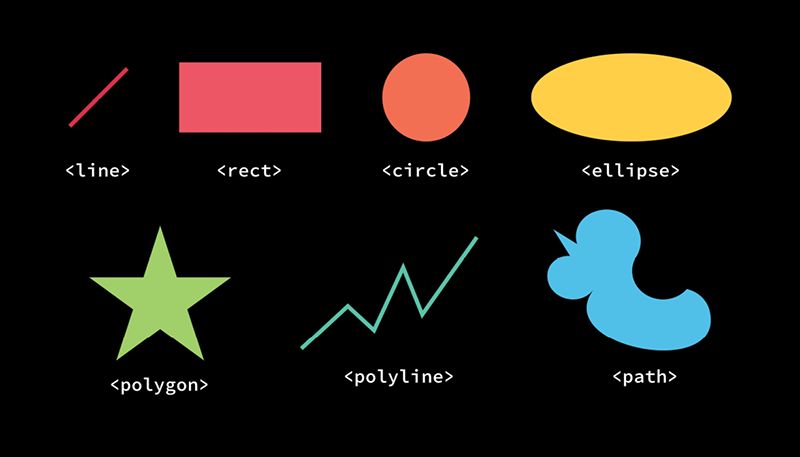
Common path commands:
- M = MoveTo (start point)
- L = LineTo
- Q = Quadratic Bézier curve
- C = Cubic Bézier (smooth curves)
- A = Arc
- Z = close path
6. Styling SVG: CSS Power
Inline SVG = style with CSS like HTML!
|
0 1 2 3 4 5 6 7 |
circle { fill: #FFD700; } rect:hover { fill: hotpink; transform: scale(1.2); } |
Or inline:
|
0 1 2 3 4 5 6 |
<circle fill="gold" /> |
Gradients too:
|
0 1 2 3 4 5 6 7 8 9 10 11 12 |
<defs> <linearGradient id="grad"> <stop offset="0%" stop-color="red"/> <stop offset="100%" stop-color="yellow"/> </linearGradient> </defs> <rect fill="url(#grad)" ... /> |
7. Quick Practice: Make a Simple Icon Right Now!
Copy this into a .html file and open in browser:
|
0 1 2 3 4 5 6 7 8 9 10 11 12 13 14 15 16 17 18 19 20 21 22 23 |
<!DOCTYPE html> <html> <head> <title>My First SVG - Arman!</title> </head> <body> <h2>Hyderabad Chai Cup SVG</h2> <svg width="200" height="250" viewBox="0 0 200 250"> <!-- Cup body --> <ellipse cx="100" cy="180" rx="80" ry="60" fill="#F5E8C7" stroke="#8B4513" stroke-width="8"/> <!-- Handle --> <path d="M 170 140 Q 220 140 220 180 Q 220 220 170 220" fill="none" stroke="#8B4513" stroke-width="12"/> <!-- Steam --> <path d="M 80 100 Q 90 60 100 80 Q 110 40 120 70" fill="none" stroke="#AAA" stroke-width="6" opacity="0.7"/> <text x="100" y="40" font-size="30" text-anchor="middle" fill="#D2691E">Chai!</text> </svg> </body> </html> |
Tada! Your own scalable chai icon. Zoom browser — perfect every time!
8. Next Level Teasers (When You’re Ready)
- Animations:<animate> or CSS @keyframes
- Filters: Blur, shadow, glow
- JavaScript: Click → change color
- Tools: Figma → export SVG, Inkscape (free), SVGOMG (optimize code)
9. Your Homework Challenge!
Make an SVG:
- Simple flag of India (rect + circle + paths for chakra)
- Or your initials in cool shapes Paste code in reply — I’ll review like teacher! 😄
SVG is like “HTML for pictures” — once you get shapes + viewBox, sky’s limit. Questions? “Sir, path d attribute samajh nahi aa raha”? Hit me! Next: “SVG Animation” or back to games?
Class dismissed… now go code some vectors! 🎨🚀




