
Chapter 8: SVG polygon
SVG polygon element!
This one is super useful because it lets you draw any closed shape made of straight lines — triangles, stars, houses, arrows, hexagons, irregular shapes — basically anything with straight sides (no curves).
I’m explaining it like we’re side by side at the computer, step by step, with examples you can copy-paste immediately.
What is <polygon> exactly?
<polygon> draws a closed shape by connecting a list of points with straight lines — and automatically connects the last point back to the first (that’s the big difference from <polyline>).
- <polyline> → open chain of lines (doesn’t close)
- <polygon> → closed shape (forms a filled area)
Think of it as giving SVG a list of corners (“vertices”), and it draws walls between them and closes the loop.
The most important attribute: points
| Attribute | Meaning | Required? | Format / Example | Notes |
|---|---|---|---|---|
| points | List of all x,y coordinate pairs | Yes | “x1,y1 x2,y2 x3,y3 …” | Space separated, commas between x and y |
| fill | Color inside the shape | No | “#FF5722”, “red”, etc. | Default = black |
| stroke | Color of the outline | No | “black”, “#333” | Default = none |
| stroke-width | Thickness of outline | No | 4, 10, etc. | — |
Example of points syntax:
|
0 1 2 3 4 5 6 |
points="10,20 150,180 280,50 300,200" |
→ four corners → connects 1→2→3→4→back to 1
Here are some labeled point diagrams showing how coordinates connect:

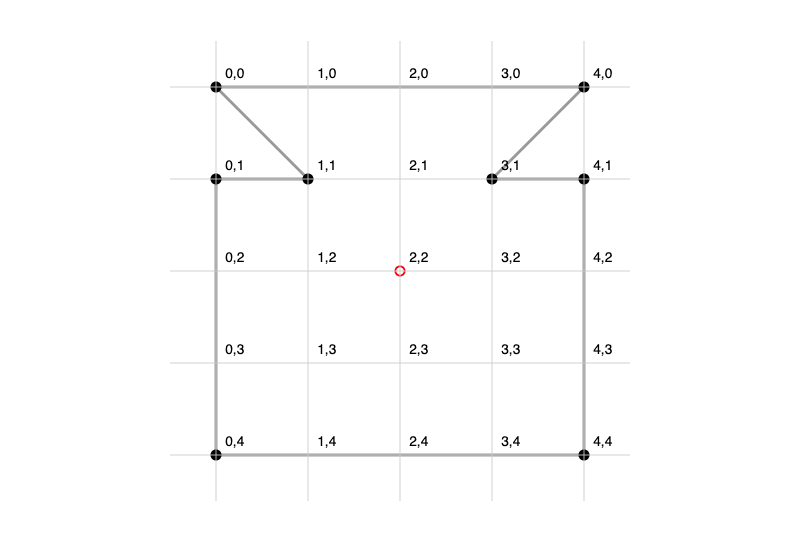
Example 1 – Basic triangle (the simplest polygon)
|
0 1 2 3 4 5 6 7 8 9 10 11 12 13 14 15 |
<svg width="300" height="280" style="border:1px solid #eee; background:#f9f9f9;"> <polygon points="150,40 40,240 260,240" fill="#4CAF50" stroke="#2E7D32" stroke-width="6" /> </svg> |
Result: Nice green triangle pointing upward. Points = top (150,40), bottom-left (40,240), bottom-right (260,240)
Example 2 – Regular pentagon (classic use case)
|
0 1 2 3 4 5 6 7 8 9 10 11 12 13 14 15 16 17 18 19 |
<svg width="280" height="280" viewBox="0 0 280 280"> <polygon points="140,20 260,100 220,240 60,240 20,100" fill="#FF9800" stroke="#EF6C00" stroke-width="8" /> <text x="140" y="160" font-size="40" text-anchor="middle" fill="white"> PENTAGON </text> </svg> |
(Regular pentagons have equal sides & angles — coordinates often come from math formulas or tools like Inkscape / Figma.)
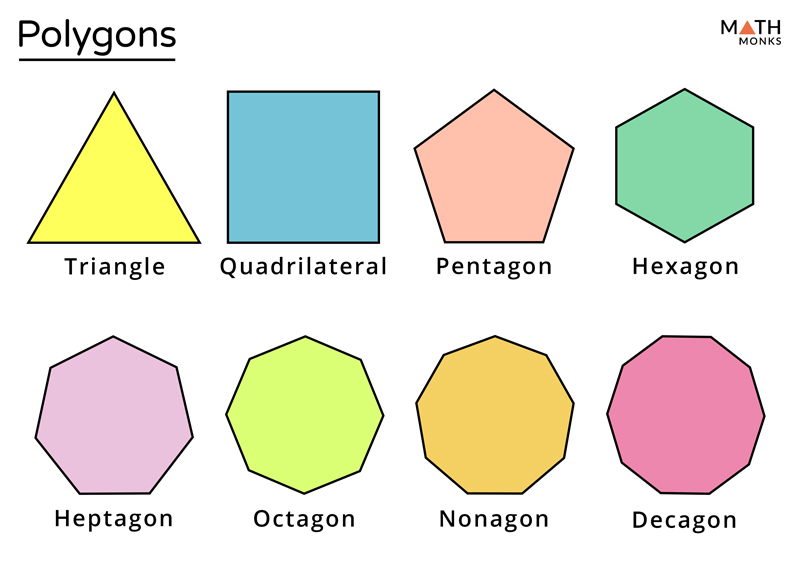
Here are various regular polygon shapes for reference:

Example 3 – Star (very popular — 5-pointed star)
|
0 1 2 3 4 5 6 7 8 9 10 11 12 13 14 15 16 17 |
<svg width="300" height="300"> <polygon points="150,10 179,95 269,95 197,150 224,235 150,190 76,235 103,150 31,95 121,95" fill="#F44336" stroke="#B71C1C" stroke-width="6" /> </svg> |
This is a classic star — notice the points go around in a zig-zag order (outer → inner → outer).
Here are some polygon-based star and shape examples:
Example 4 – Irregular shape (real-world use: country border, arrow, house)
|
0 1 2 3 4 5 6 7 8 9 10 11 12 13 14 15 16 17 18 19 |
<svg width="400" height="300"> <!-- Simple house shape --> <polygon points="50,200 50,120 200,50 350,120 350,200 200,150" fill="#673AB7" stroke="#512DA8" stroke-width="5" /> <!-- Door --> <rect x="170" y="140" width="60" height="60" fill="#FFF"/> </svg> |
Example 5 – Hover / interactive polygon (modern web fun)
|
0 1 2 3 4 5 6 7 8 9 10 11 12 13 14 15 16 17 18 19 20 21 22 23 24 |
<style> .star:hover { fill: #FFEB3B; stroke: #F57F17; stroke-width: 12; transform: scale(1.12); filter: drop-shadow(0 8px 16px rgba(0,0,0,0.4)); } </style> <svg width="220" height="220"> <polygon class="star" points="110,10 135,80 210,80 150,130 175,200 110,160 45,200 70,130 10,80 85,80" fill="#2196F3" stroke="#0D47A1" stroke-width="6"/> </svg> |
Hover → it grows and glows!
Quick Cheat Sheet: <polygon> vs similar elements
| Shape type | Best element | Why? |
|---|---|---|
| 3–any straight sides, closed | <polygon> | Clean, fillable, closed automatically |
| Open chain of lines | <polyline> | Does not close |
| Any shape (curves too) | <path> | Most powerful (but longer code) |
| Rectangle / rounded | <rect> | Shorter & more semantic |
| Circle / oval | <circle> / <ellipse> | Much simpler for round shapes |
Common beginner mistakes
- Forgetting to close the shape in your mind → but <polygon> does it automatically (unlike <polyline>)
- Wrong order of points → shape crosses itself (twisted / bow-tie look)
- Points listed clockwise or counterclockwise — both work, but consistent direction helps with complex fills
- No fill and no stroke → invisible shape!
- Too many points → better to use <path> for very complex outlines
Practice mini-challenges
- Draw a blue hexagon (6 sides — regular or almost regular)
- Make a red arrowhead using one <polygon>
- Create a cute diamond / rotated square (hint: points like 150,20 230,100 150,180 70,100)
Paste your code here if you want — I’ll review it like we’re in a live coding session 😄
Any part confusing? Which example should we redraw bigger / slower? Just say — we’ll make it crystal clear together! 🚀




