
Chapter 10: SVG path
What makes <path> so powerful?
It has one main attribute: d (stands for “data” or “description”)
The d value is a mini programming language — a string of commands that tell the “pen” where to move and how to draw.
- You pick up the pen → move without drawing → put pen down → draw lines or curves → close shape or not
- All drawing happens in one single element (very efficient for the browser)
Basic syntax structure of d
Commands are letters (most have uppercase & lowercase versions) followed by numbers.
Uppercase = absolute coordinates Lowercase = relative to the previous point
Most common commands (we’ll learn them one by one):
| Command | Meaning | Parameters | Uppercase vs lowercase | Closes path? |
|---|---|---|---|---|
| M / m | MoveTo (jump, no draw) | x y | Absolute / relative | No |
| L / l | LineTo (straight line) | x y (repeatable: x1 y1 x2 y2 …) | Absolute / relative | No |
| H / h | Horizontal line | x (only x changes) | Absolute / relative | No |
| V / v | Vertical line | y (only y changes) | Absolute / relative | No |
| Z / z | ClosePath | (no parameters) | Same effect | Yes |
| Q / q | Quadratic Bézier curve | cx cy x y | Absolute / relative | No |
| C / c | Cubic Bézier curve | cx1 cy1 cx2 cy2 x y | Absolute / relative | No |
| A / a | Arc (elliptical arc) | rx ry rotation large-arc sweep x y | Absolute / relative | No |
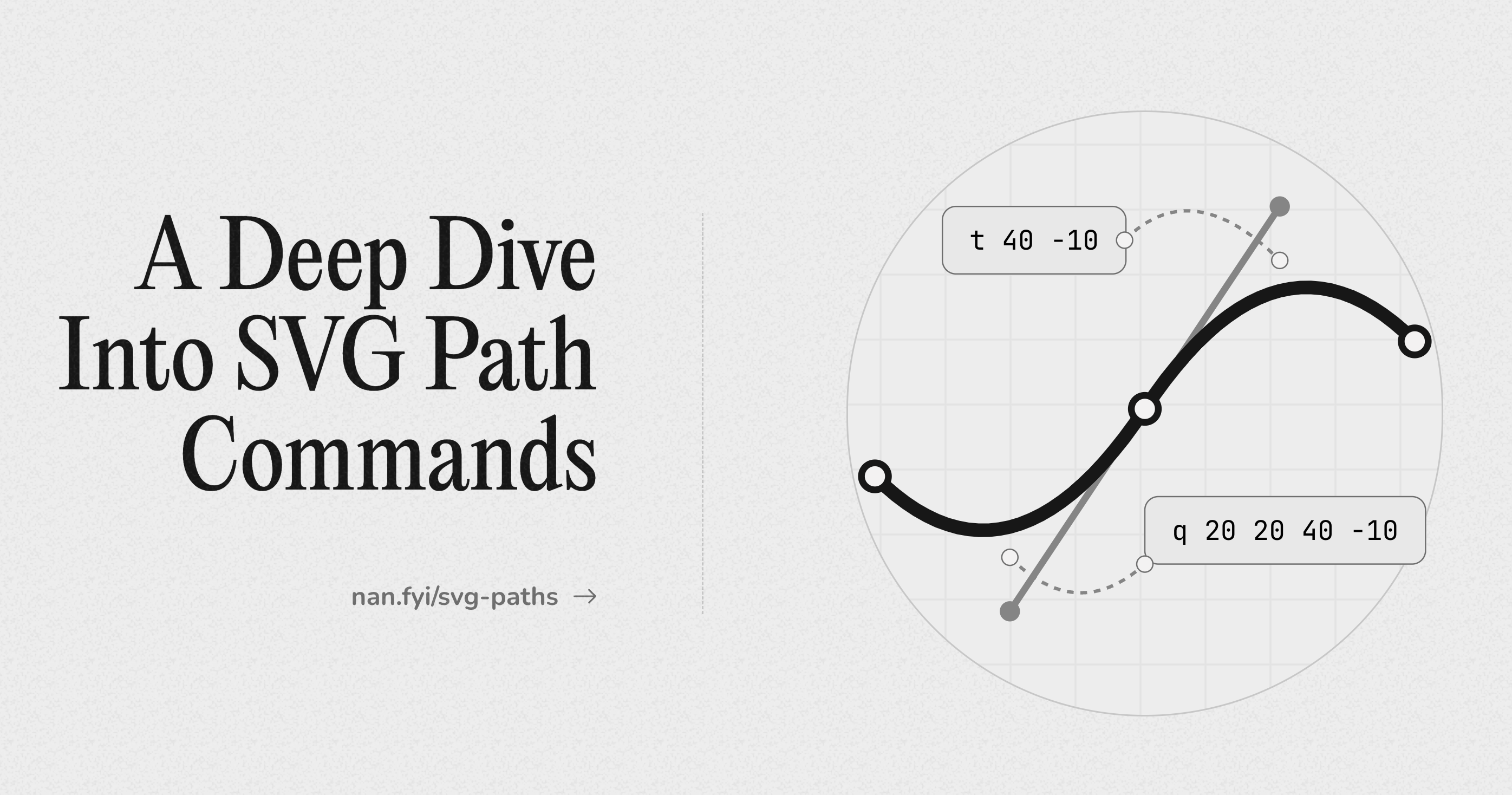
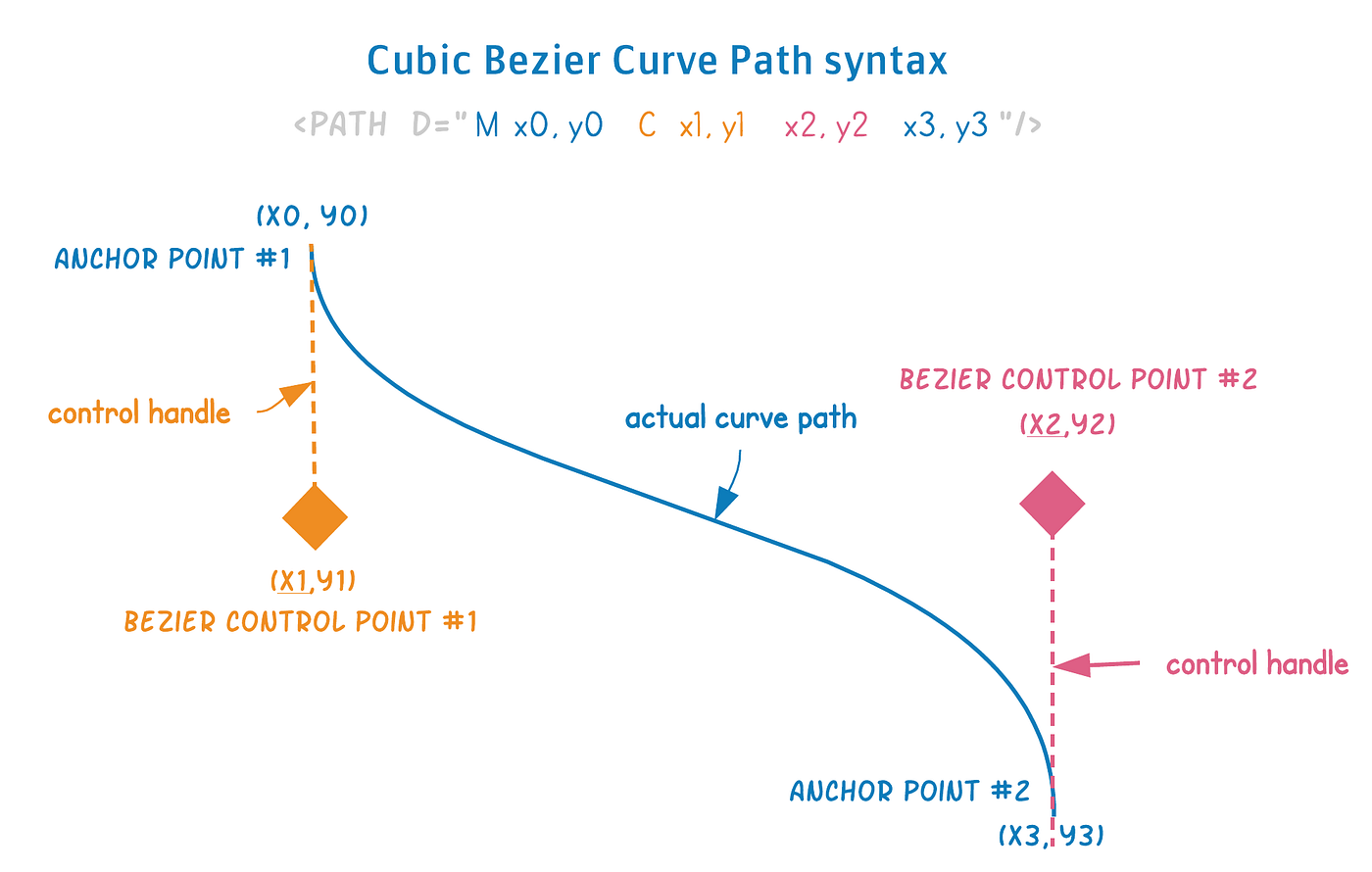
Here are some excellent visual explanations of the most important path commands (especially Bézier curves and arcs):

Example 1 – Simple rectangle using only path (compare to <rect>)
|
0 1 2 3 4 5 6 7 8 9 10 11 12 13 14 15 |
<svg width="300" height="200"> <path d="M 40 40 L 260 40 L 260 160 L 40 160 Z" fill="#4CAF50" stroke="#2E7D32" stroke-width="6" /> </svg> |
- M 40 40 → start here (move without drawing)
- L 260 40 → draw straight line to right
- L 260 160 → down
- L 40 160 → left
- Z → close back to start
Same as <rect x=”40″ y=”40″ width=”220″ height=”120″> — but more flexible.
Example 2 – Heart shape (classic <path> example)
|
0 1 2 3 4 5 6 7 8 9 10 11 12 13 14 15 16 17 18 19 |
<svg width="220" height="220" viewBox="0 0 220 220"> <path d="M110 40 C 140 0, 180 40, 180 80 C 180 120, 140 160, 110 180 C 80 160, 40 120, 40 80 C 40 40, 80 0, 110 40 Z" fill="#f44336" stroke="#b71c1c" stroke-width="5" /> </svg> |
- C = cubic Bézier → smooth curves with two control points each
- Notice how symmetric it is — left and right sides mirror each other
Here is a visual breakdown of Bézier control points in curves:
Example 3 – Quadratic curve (simpler curve — only one control point)
|
0 1 2 3 4 5 6 7 8 9 10 11 12 13 14 15 16 17 18 19 20 21 22 |
<svg width="300" height="200"> <path d="M 40 160 Q 150 40, 260 160" fill="none" stroke="#2196F3" stroke-width="10" stroke-linecap="round" /> <!-- Show control point and endpoints --> <circle cx="40" cy="160" r="6" fill="#333"/> <circle cx="260" cy="160" r="6" fill="#333"/> <circle cx="150" cy="40" r="6" fill="red" opacity="0.7"/> </svg> |
Q = quadratic Bézier → one control point “pulls” the curve
Here is how quadratic curves look with control points:
Example 4 – Arc command (the hardest one — elliptical arcs)
|
0 1 2 3 4 5 6 7 8 9 10 11 12 13 14 15 16 |
<svg width="300" height="300"> <path d="M 80 150 A 100 60 0 0 1 220 150 A 100 60 0 0 1 80 150 Z" fill="#FF9800" opacity="0.8" /> </svg> |
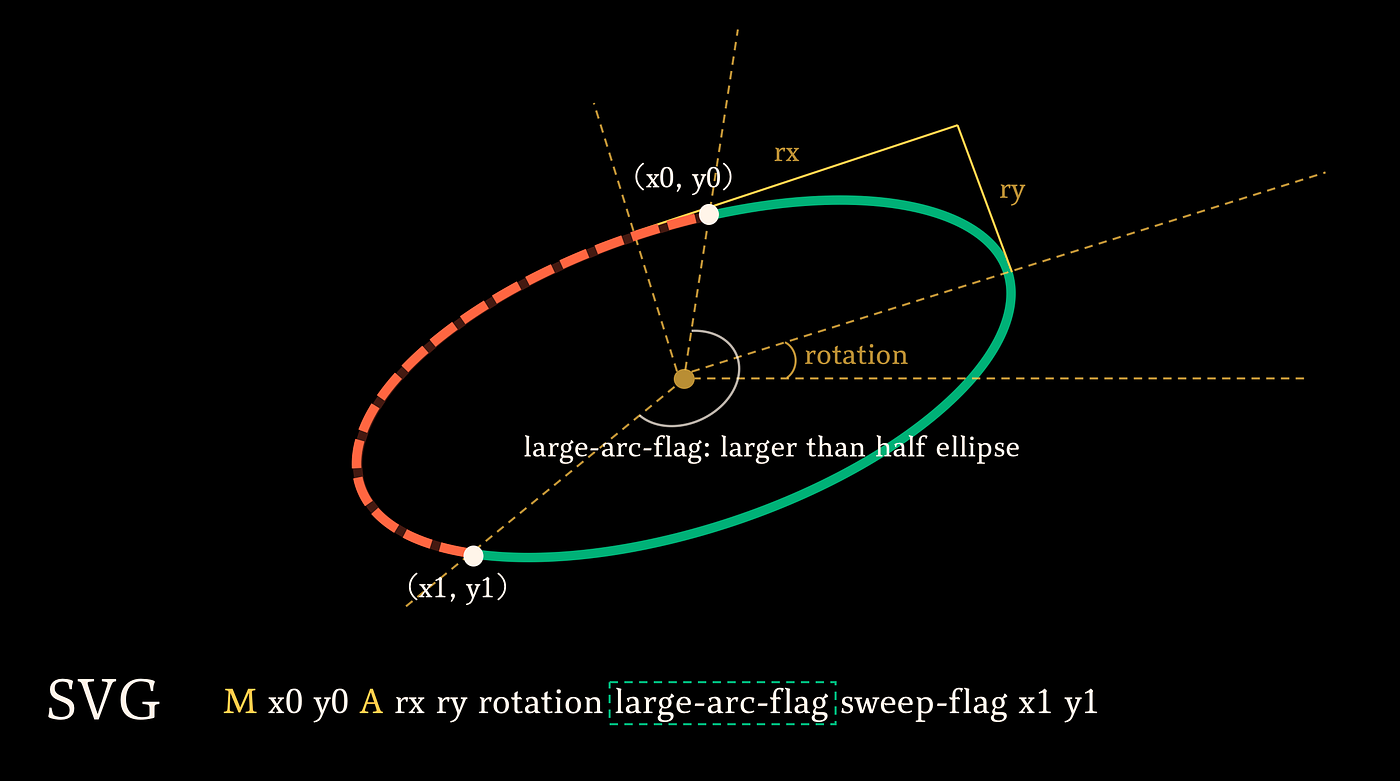
A rx ry rotation large-arc-flag sweep-flag x y
- rx, ry = horizontal & vertical radius
- rotation = tilt in degrees
- large-arc-flag (0 or 1) → choose small or large part of ellipse
- sweep-flag (0 or 1) → clockwise or counterclockwise
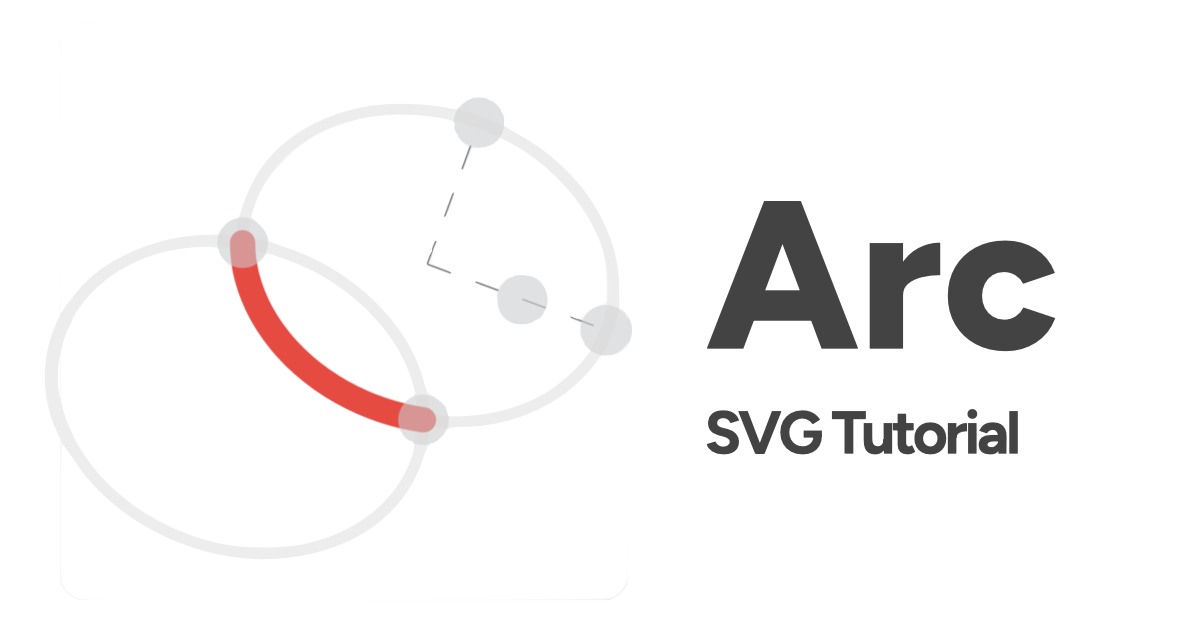
Here are excellent arc command explanations:
Quick Cheat Sheet – Most used path patterns
| Goal | Typical starting commands |
|---|---|
| Simple closed shape | M … L … L … Z |
| Smooth organic shape | M … C … C … C … Z |
| Simple curve | M … Q … or M … C … |
| Rounded button / pill | M … H … A … H … A … Z |
| Icon with hole | M … Z M … Z (even-odd fill-rule) |
| Dashed outline only | fill=”none” stroke-dasharray=”8 4″ |
Common beginner mistakes
- Forget to start with M or m → path invisible
- Mix absolute & relative carelessly → shape jumps unexpectedly
- Wrong number of parameters → path breaks
- No stroke and no fill → invisible
- Very long d strings → hard to read (tools like SVGOMG or Figma help)
Practice mini-challenges
- Draw a simple cloud using one <path> with several quadratic curves
- Make a speech bubble (rectangle + tail using arc or quadratic)
- Try to recreate a simple checkmark ✓ or arrow using only lines and Z
Paste your d string or full code here if you want feedback — I’ll review it like we’re pair-coding 😄
This is a huge topic — we’ve only scratched the surface! Which part feels most confusing: curves, arcs, relative vs absolute, or something else? Tell me and we’ll zoom in with more examples until it clicks perfectly! 🚀




